
PRINT / COMPARE / TROUBLESHOOT
Print a ruler at actual size
Engineering preview: usable draft patterns, not a physically validated release. See validation limits.
A full 12-inch or 30-cm ruler cannot fit inside the safe margins of these paper sizes. Use two native-size, overlapping segments.
Inch & cm joining rulers
Choose Actual size / 100%, the matching paper size, and turn off headers and footers. Print the vector PDF, not this screen preview. Full length uses two overlapping segments.
Mobile: open the PDF, then use the viewer’s Share / Print command. A download link opens a file; it does not confirm the file was saved.
Pattern details
RU-BOTH · 2 PDF pagesDraft pattern · physical validation pending.
Estimated coverage: see the asset manifest. Estimates describe artwork area, not ink volume.
Ruler preview · screen size is not actual size
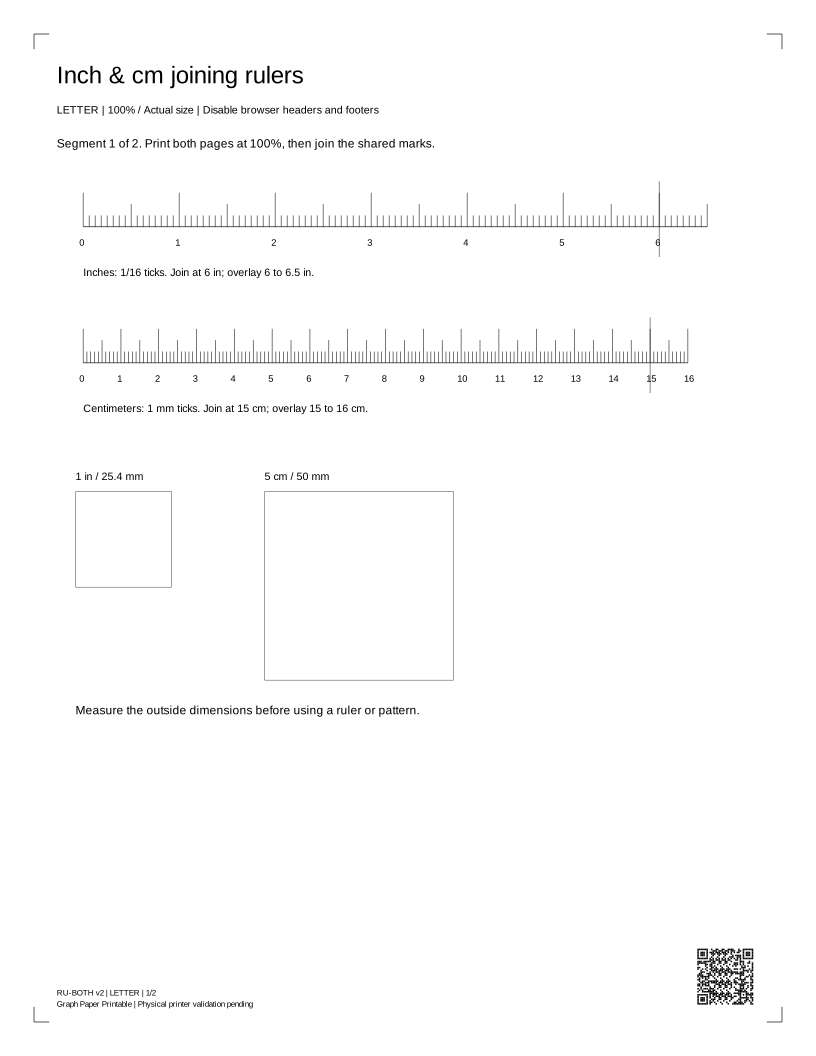
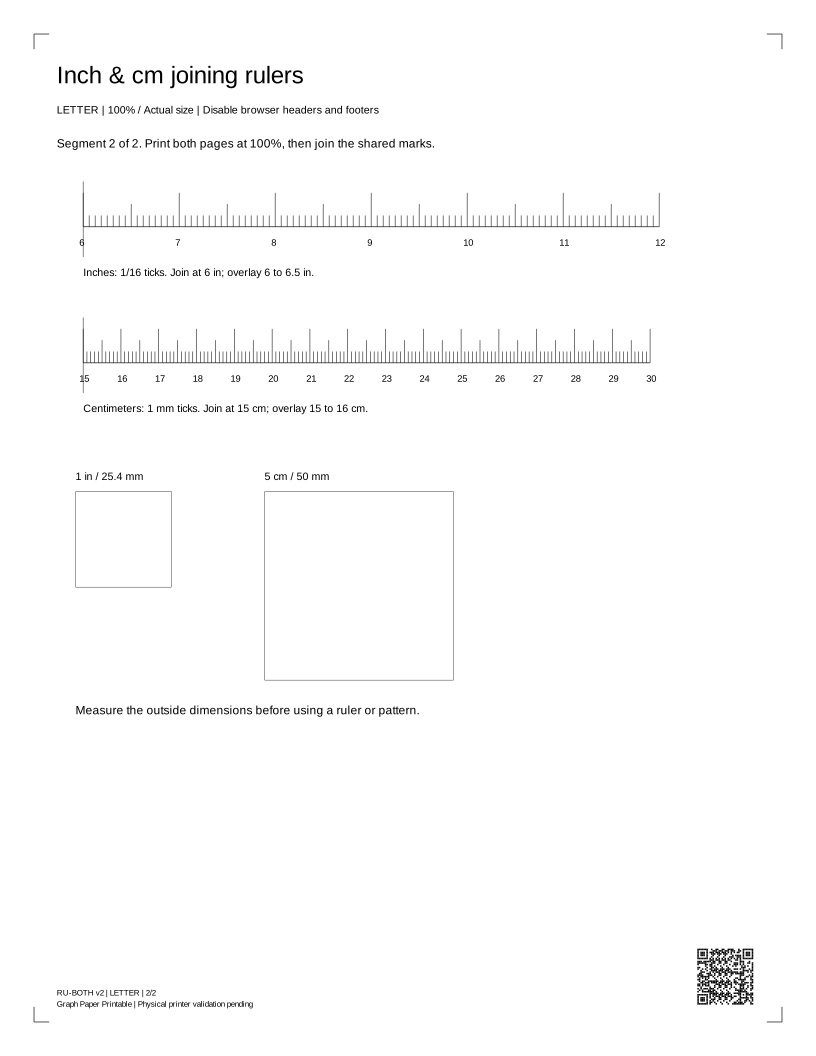
Read your result
Measure the 25.4 mm and 50 mm squares with a physical ruler. Print both segments at 100%, then overlay the shared 6-inch or 15-cm marks. Check each segment, the join and the full length. Screen size is not actual print size. Hardware accuracy has not been certified.
Check size, then join the segments
Compare a standard ID-1 bank card with the 85.60 × 53.98 mm outline on the actual-size PDF. Keep your card on your desk; no photo or upload is needed. ID-1 size reference. This is an auxiliary check; measure the squares and full ruler with a known physical ruler.
Overlap the matching marks without stretching the paper. Check each segment, the seam and total length before use.
Print-setting screenshot placeholders
Real captures pending: Chrome / Windows, Edge / Windows, Safari / macOS, Acrobat, iOS and Android. Each capture must include application and OS versions, date, selected paper and Actual size / 100%. These placeholders do not certify those environments.
Before you print again
Does requesting a print mean it printed?
No. The browser can request a dialog, but cannot tell whether you cancelled, sent the job or received paper. Check the preview and the physical result.
Why are there two paper sizes?
Each PDF has a native Letter or A4 page box. Choose the same size in the printer dialog, use Actual size / 100%, and disable headers, footers and Fit to page.
Can this sheet diagnose my printer?
It is a comparison aid. A generic sheet cannot identify a failed part, measure ink remaining, certify colors or replace the manufacturer's model-specific checks.