
PRINT / COMPARE / TROUBLESHOOT
Check your printer nozzles
Engineering preview: usable draft patterns, not a physically validated release. See validation limits.
Prefer the built-in check for your exact model. The generic pattern below is a secondary visual aid, not an individual-nozzle test.
Start with your printer’s built-in check
These procedures apply only to the listed models, not every printer from a brand. Use your exact model’s manual for cleaning limits and waiting periods.
Epson · ET-2850 / L4260
Load plain paper and extend the output tray. From Home, choose Maintenance, then Nozzle Check, then Start. Compare the result with the pattern in this manual.
Official procedure checked; device test pending · source check 2026-09-23
Canon · TS3500 series
With the printer on, load one sheet of A4 or Letter plain paper in the rear tray. Press Setup until 1 appears on the LCD, then press Black or Color. Wait until printing finishes.
Official procedure checked; device test pending · source check 2026-09-23
Brother · DCP-T520W / T525W / T720DW / T725DW / T820DW / T825DW
Press Menu. Select Maintenance and OK, Improve Quality and OK, then Check Quality and OK. Press Colour Start. Compare the four color blocks with the manual.
Official procedure checked; device test pending · source check 2026-09-23
HP · DeskJet 2700 / 4100 / 4800 series
Use the model-specific Print Quality Report instructions in HP support. The official search excerpt names the HP app and its Print Quality Tools / Printer Reports, but this session could not open the full support article. Verify the current labels in the linked article before proceeding.
Full source access and device test pending; no universal button sequence claimed · source check 2026-09-23
Generic nozzle pattern
Choose Actual size / 100%, the matching paper size, and turn off headers and footers. Do not select Fit to page or borderless enlargement.
Mobile: open the PDF, then use the viewer’s Share / Print command. A download link opens a file; it does not confirm the file was saved.
Pattern details
NZ-01 · 1 PDF pageDraft pattern · physical validation pending.
Estimated coverage: see the asset manifest. Estimates describe artwork area, not ink volume.
Pattern preview
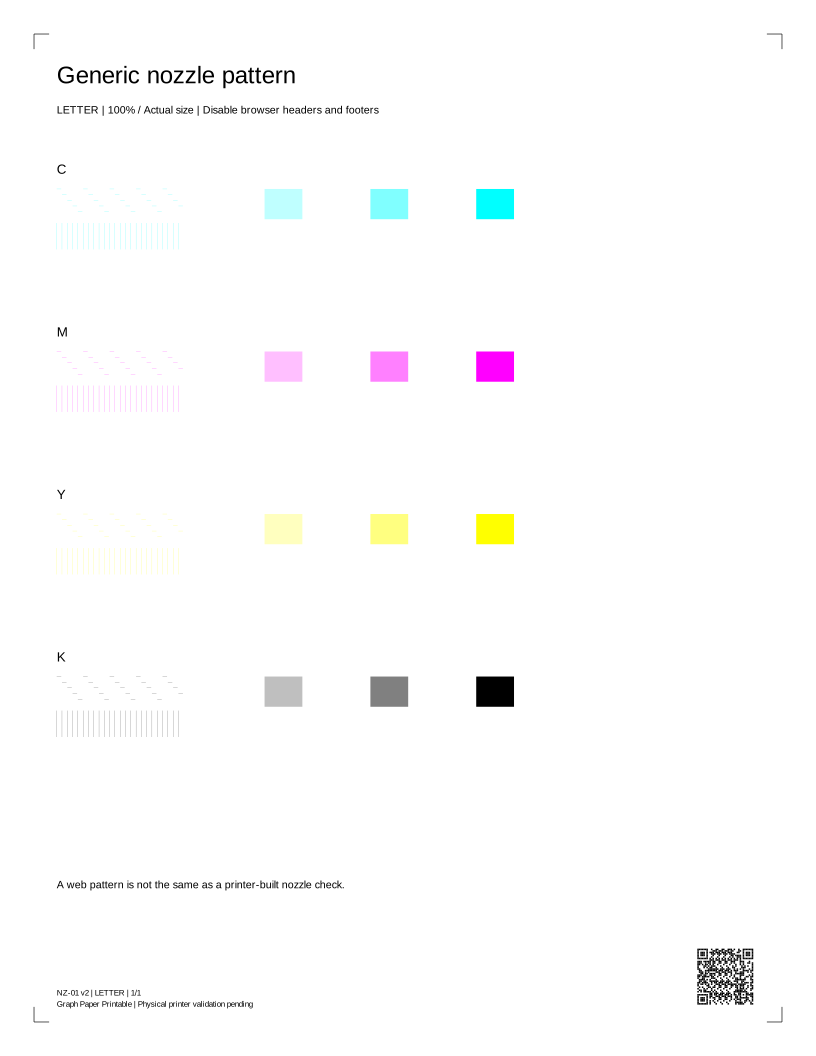
Read your result
The thin stepped lines are a generic visual pattern. Browser scaling and the driver can change these lines. Use your model's built-in nozzle check before deciding whether a nozzle is blocked.
PDF · current selection · Back to print controls
Compare every channel
Complete lines are expected. Gaps or a missing row call for your model’s built-in check. Select a known color to open its print controls.
Cyan test
Magenta test
Yellow test
Black test
Schematic comparisons, not authorized physical samples or a diagnosis.
Before you print again
Does requesting a print mean it printed?
No. The browser can request a dialog, but cannot tell whether you cancelled, sent the job or received paper. Check the preview and the physical result.
Why are there two paper sizes?
Each PDF has a native Letter or A4 page box. Choose the same size in the printer dialog, use Actual size / 100%, and disable headers, footers and Fit to page.
Can this sheet diagnose my printer?
It is a comparison aid. A generic sheet cannot identify a failed part, measure ink remaining, certify colors or replace the manufacturer's model-specific checks.